Corporate Function Audio Setup Guide That Works
A corporate function can look polished on paper and still lose the room in seconds when the sound fails. A microphone that cuts out during the CEO’s welcome, presentation audio nobody can hear, or music that overwhelms networking can affect the entire guest experience. This corporate function audio setup guide helps organisers plan clear, reliable sound that supports every part of the programme.
Start with the event, not the equipment
The best audio setup is not automatically the biggest speaker system. It is the one matched to your venue, guest count, run sheet and room layout. A boardroom awards lunch for 40 people needs a very different approach to a 300-person gala in a hotel ballroom, product launch in a warehouse, or outdoor staff celebration.
Begin by identifying what guests need to hear. This may include welcome speeches, panel discussions, video sound, remote callers, awards stings, background music and a dance floor later in the evening. Each element places different demands on the system, so treating audio as one generic item can create gaps on the night.
Ask your venue for its room dimensions, ceiling height, available power, loading access and details of any in-house sound equipment. Some venues have useful installed systems, while others have speakers designed only for basic background music. An experienced technician can assess whether the existing setup is suitable or whether dedicated event equipment is the safer option.
Guest numbers matter, but room shape matters too
A long, narrow room often needs more than one speaker position so people at the back hear speeches at the same level as those near the stage. High ceilings, hard walls and glass surfaces can create echo, particularly in converted industrial venues and function spaces with minimal soft furnishings.
Turning the volume up is rarely the answer. It can make voices less clear and more tiring to listen to. Speaker placement, the right microphone, sensible volume and careful tuning make a greater difference than raw power.
Put speech clarity first
At corporate functions, spoken content is usually the priority. Guests may forgive a playlist change. They will not easily forgive missing the annual results, a safety briefing or an award winner’s name.
For a presenter staying at a lectern, a quality gooseneck microphone is often a clean and dependable choice. For an MC moving across the stage or introducing guests at tables, a wireless handheld microphone gives flexibility. Headset or lapel microphones suit presenters who need both hands free, but they must be fitted and tested carefully to avoid rubbing noise, weak levels or feedback.
It is worth having a second microphone ready for audience questions, surprise speakers and contingencies. Sharing one mic between a panel of four can slow the session down and sound uneven. Individual microphones offer better clarity, though they require more channels and more preparation.
Wireless microphones also need proper frequency coordination. In a busy venue with Wi-Fi, Bluetooth devices and other production suppliers on site, inexpensive wireless gear can be unreliable. Professional systems, fresh batteries or charged packs, and a technician monitoring signal strength reduce the risk of awkward interruptions.
Plan presentation audio before the doors open
Slides are only half of a presentation. If a video contains voice-over, music or important sound effects, it must be played through the event sound system and tested from the audience area. Relying on a laptop speaker is not an option in a function room.
Confirm exactly what each presenter is bringing. Find out whether they are using HDMI, USB-C, a laptop, a tablet or an embedded video file. Ask for videos and walk-on music in advance where possible, then keep backup copies on a separate device. This is particularly useful when an executive arrives with a last-minute update or a laptop adaptor goes missing.
Remote presenters need extra thought. A stable internet connection is essential, but so is managing audio routing to prevent echo. The room needs to hear the remote speaker clearly, while the remote speaker needs a microphone feed that captures the presenter without sending their own voice back to them. It is technical work, and it should be tested before guests take their seats.
Build a run sheet that includes audio cues
Your run sheet should identify more than speaker names and meal times. Add each music cue, video, microphone change, walk-on, award sting and lighting moment. Include the exact timing where it matters, along with the person authorised to make changes.
This gives your MC, venue team and production crew one shared plan. It also means audio support can anticipate the next moment rather than reacting after it has already begun. A short briefing with key speakers before doors open can prevent common problems such as presenters standing too far from a lectern microphone or turning away while speaking.
Match sound levels to each stage of the function
Corporate events commonly shift through several moods. Guests may arrive to relaxed background music, move into focused presentations, then transition to dinner, networking or a celebration. Audio should shift with them.
During arrivals, music should create energy without forcing guests to raise their voices. During meals, it should sit comfortably beneath conversation. When speeches begin, background music needs to stop completely and every guest should be able to understand the speaker without straining.
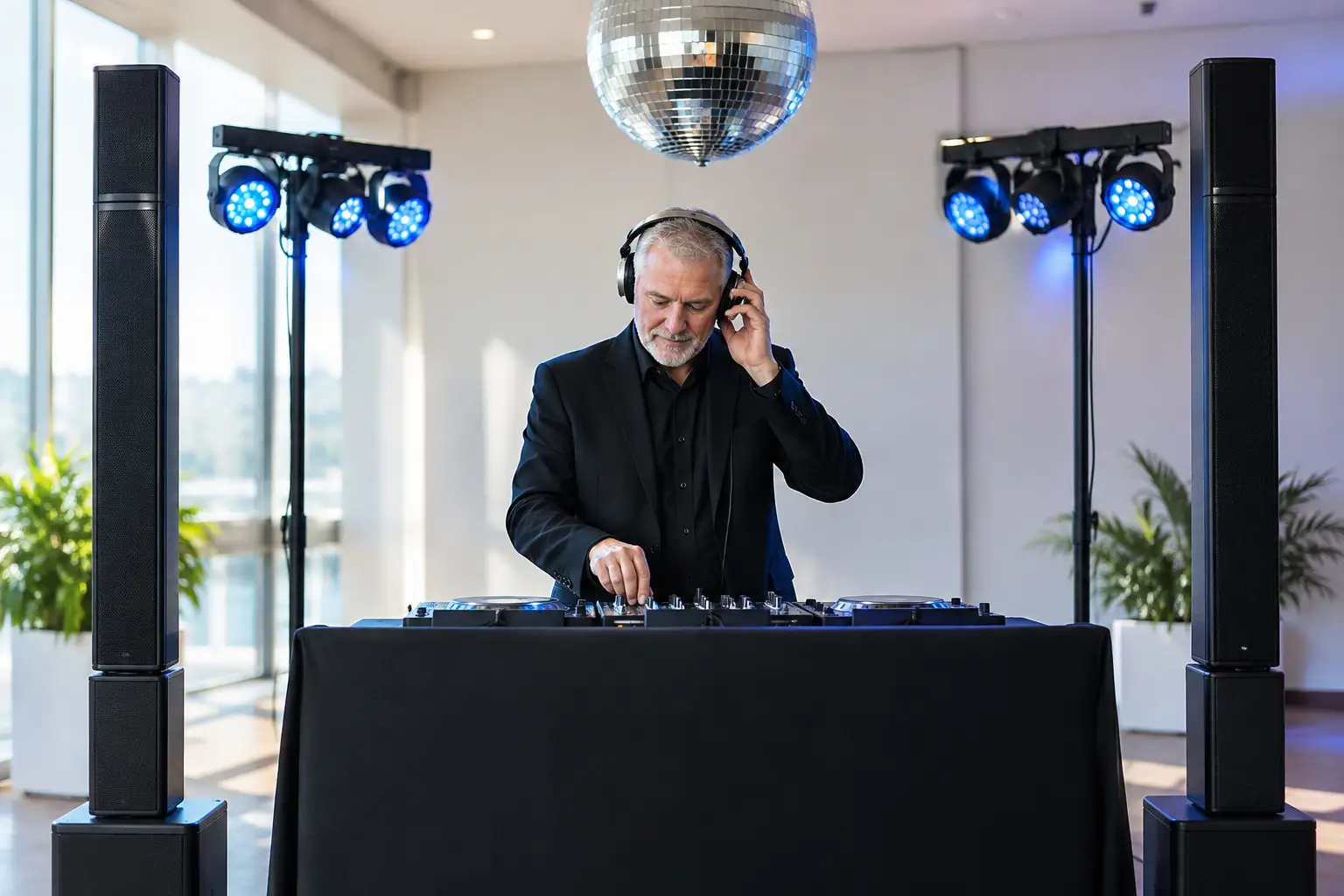
For post-dinner entertainment, the sound system may need to work harder, especially if there is a dance floor. This does not mean every corporate group wants nightclub volume. Consider the audience, venue restrictions and the event purpose. A team celebration may call for a full DJ and dance-floor setup, while a client appreciation evening may suit upbeat music that still allows conversation.
If the event has separate spaces for dining, networking and entertainment, audio zones can be valuable. They allow different volume levels or music choices without one area competing with another. The trade-off is added equipment and planning, which is why a site inspection is useful for larger functions.
Do not overlook power, access and safety
Sound equipment needs stable power and a practical path into the venue. A grand ballroom may be simple to access; a rooftop, marquee, museum or regional outdoor site can require more preparation. Confirm bump-in times, lift sizes, stairs, parking, loading docks and any noise limits well before event day.
Cables should be secured and kept away from guest walkways. Equipment needs to be positioned so it is effective without blocking sightlines, service access or fire exits. Outdoor events need weather protection, suitable power distribution and a realistic wet-weather plan. A small shower can be enough to stop unprotected equipment, so this cannot be left to chance.
A professional provider also brings backup thinking. That can mean spare cables, replacement microphones, charged batteries, alternate playback devices and a solution if a speaker or mixer develops a fault. The goal is not to make a complicated setup for its own sake. It is to avoid a single small failure becoming visible to every guest.
Choose support that covers the full room experience
Audio does not work in isolation. The right lighting can focus attention on a stage or award recipient. A confident MC keeps transitions moving. A DJ can shape the energy between formal segments and the social part of the evening. When these elements are planned together, the event feels organised rather than patched together by separate suppliers.
For Tasmanian corporate events, AAA Mobile DJ Services can coordinate professional sound, MC hosting, music, lighting and equipment support as one event team. That reduces the number of moving parts for organisers while keeping the technical delivery aligned with the run sheet and atmosphere you want to create.
A final pre-event check worth making
Before guests arrive, stand at the back and sides of the room while someone speaks into every microphone. Listen for echo, dead spots, feedback and uneven volume. Test every video, every music cue and every remote connection in the same way it will be used during the function.
A well-planned audio setup should never become the centre of attention. It should give speakers confidence, let guests stay engaged and leave your team free to enjoy the function they worked hard to create.